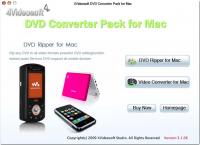
4Videosoft DVD Converter Pack for Mac Publisher Review:
4Videosoft DVD Converter Pack for Mac is one outstanding Mac DVD/Video Converter, which is packed with DVD Converter for Mac/Video Converter for Mac. With it, you can easily convert any DVD and video video files to you want video and audio formats.
4Videosoft DVD Converter Pack for Mac is one outstanding Mac DVD/Video Converter for Mac users, which is packed with DVD Converter for Mac and Video Converter for Mac. With this Mac DVD/Video Converter Pack, you can easily convert any DVD and video files to you want video and audio formats.
This DVD Converter Pack for Mac allows you to set output video effect, trim and crop DVD video, merge several DVD chapters into one, and add text or picture watermark. All these help you get different video output.
Key functions:
1.Convert DVD and Video Files on Mac
4Videosoft DVD Converter Pack for Mac assists you to convert any DVD movies to the video format you want with best quality.
This DVD Converter Pack for Mac can also convert between videos and audios, and extract audios from video files.
With this DVD Converter Pack for Mac, you can get any video and formats from the cource DVD and video files, like MP4, AVI, MOV, MPEG, MTS, HD video, MP3, WMA, M4A, AAC, etc.
2.Edit DVD/Video Effect
4Videosft DVD Converter Pack for Mac helps you adjust the video brightness, contrast and saturation for you to get the optimized video.
It allows you to trim video length by setting the start time and end time. You can also cut off the unwanted black edges with "Crop" function.
Merge several DVD/video clips into one file for you to enjoy them successively. If you like, you can add text or image watermark for your video.
3.Various Output Settings
4Videosoft DVD Converter Pack for Mac enables you to choose the audio track and subtitle you want for your video, or you can choose no subtitle based on your needs.
You can choose Video Encoder, Resolution, Frame Rate, Video Bitrate and Audio Encoder, Sample Rate, Channels, Audio Bitrate. You also can input your own Video Resolution. All these setting can be saved as user-defined profile. Whats new in version 3.3.22: 1.Watermark your video in the form of text or image. 2.You can choose the preferred audio track and subtitle. 3.Output one file to different formats after one conversion. Requirements: 512MB RAM, Super VGA (800×600) resolution, 16-bit graphics card or higher Operating system: Mac OS X,Mac Other,Other Release notes: Major Update
Riptoo Audio Converter is a professional powerful all-in-one audio converting solution and MP4 to MP4 converter.
Price: $19.95, Rating: 10, Downloads: 174 Download
Ripping Blu-ray discs and DVD movies to iPhone-supported video formats;Converting Blu-ray discs and DVD movies to audio formats like M4A, WAV and MP3;Ripping Blu-ray discs and DVD movies to iPod videos;Converting Blu-ray discs and DVD mo
Price: $35.95, Rating: 7, Downloads: 159 Download
XFreesoft DVD Creator for Mac is a super easy DVD creator for Mac users to burn video to DVD. All DVD editing and conversion processes can be done with the most excellent quality and the fastest speed by using XFreesoft DVD Creator for Mac.
Price: $19.95, Rating: 6, Downloads: 110 Download
Power DVD Rip Studio is a powerful DVD copying and ripping software which can rips DVD to AVI, DVD to MPEG, DVD to WMV, DVD to WAV, and DVD to SVCD formats...
Price: $29.95, Rating: 9, Downloads: 102 Download
WinX Bluray DVD iPhone Ripper helps you rip/convert Blu-ray DVD to iPhone iPod MP4 H.264 video for smooth playback on your iPhone as well as iPad, iPod, iPod touch and Apple TV.
Price: $19.95, Rating: 6, Downloads: 100 Download
User Rating
Rating:0.0 out of
5 Based on0 ratings.
0 user reviews.

 4Videosoft DVD Converter Pack for Mac 3.3.22 details